Great tools need to be refined and occasionally replaced. 2021 is over, so it’s time to review the hardware and software additions I made this year and how they’ve enhanced my workflow.
iPhone 12
Purchased in early May. I’ve really enjoyed using it, particularly the Face ID integration and the synergy with my Apple Watch.
Favorite Features
- Face ID: The recognition speed is solid, though it still fails occasionally. I hope future versions are even more precise.
- Apple Watch Unlock: Being able to unlock my phone while wearing a mask (via AW) is a fantastic quality-of-life improvement.
- Shortcuts: I use these for automating SMS, checking mobile balances, and one-tap health code scanning. While some apps limit full automation, it’s still incredibly useful.
Electric Heating Faucet (A Lifesaver for Older Apartments)
I live in an older building where the kitchen isn’t connected to the central water heater. I bought a Supor electric heating faucet in December for 179 RMB. It’s been a great addition.
Key Notes:
- The water gets warm but not scalding hot.
- Be careful with installation; ensure the faucet specs match your sink.

Typora
The $14.99 one-time purchase is very reasonable. It supports up to three devices.
Pros:
- Excellent keyboard shortcuts (e.g.,
⌘2for H2 headers). - Works perfectly with iCloud for multi-device document syncing.
Cons:
- Doesn’t sync configurations/themes via iCloud.
- Occasional performance lags or hangs.
Apple TV (ATV 5)
Purchased in November for 820 CNY. While Chinese streaming services have TV apps, they are expensive and often have restricted libraries. The ATV via AirPlay is a much better solution.
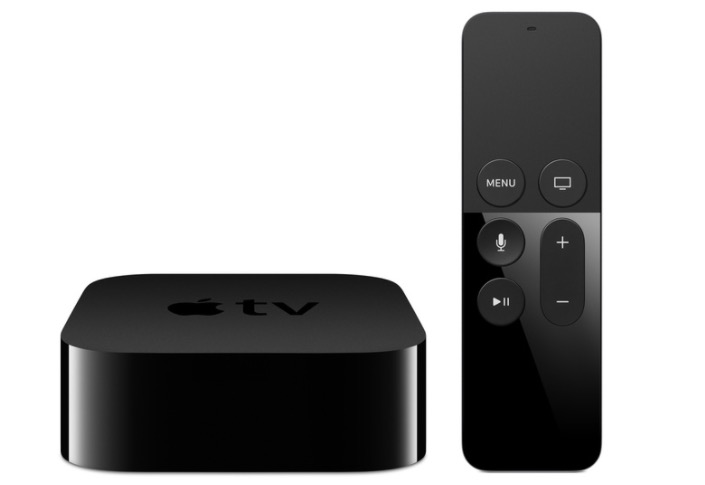
Pros:
- Access to YouTube (requires router-level proxy).
- Connects to my NAS for a home theater experience.
- AirPlay from iPhone/iPad works flawlessly for streaming services like Tencent Video.
- The classic Apple experience: smooth, professional, and reliable.
Cons:
- A mainland China Apple ID provides almost no services. You need a US or other regional ID to download most useful apps.
WeChat Reading (微信读书)
I only started using this seriously this year and found it to be excellent.
Pros:
- Massive collection of Chinese books.
- Great user experience and typography.
- Social features that actually encourage reading.
- “Free” model: By reading regularly, you can earn “Unlimited Cards,” allowing you to read without a paid subscription while building a consistent habit.
Cons:
- Like many domestic apps, the social features can sometimes feel like “noise.”
- The selection of foreign language books is limited compared to services like O’Reilly.
Final Thoughts
After several years of refining my hardware and software ecosystem, it has reached a state of relative stability. The focus now is simply on using these tools effectively to maintain high quality and efficiency in my work and life.