I previously opened accounts with uSMART (SG/HK) and Futu. While I primarily use Futu MooMoo, uSMART serves as my backup, where I keep $50 to maintain the account. Recently, I’ve seen many recommendations for IBKR (Interactive Brokers) due to its low fees. I decided to open an IBKR account while it’s still accessible for mainland users—having multiple disaster recovery options is always a good idea.
Advantages of IBKR
- No CRS: Currently, IBKR US does not report under the Common Reporting Standard (CRS).
- Identity Support: It still supports account opening using mainland Chinese identification.
- Low Commissions: The commission rates are extremely low, making it ideal for long-term investors.
Account Opening Process
- Visit the IBKR Official Website. I recommend selecting
Chineseas the language to ensure you accurately understand technical terms. - Click the “Open Account” button and fill in your personal information, including name, address, and contact details.
- When selecting
Chinaas your country, you might see a prompt stating:You will need to provide documentation to prove you live or work outside of mainland China for a long period.You can ignore this and proceed to the next step.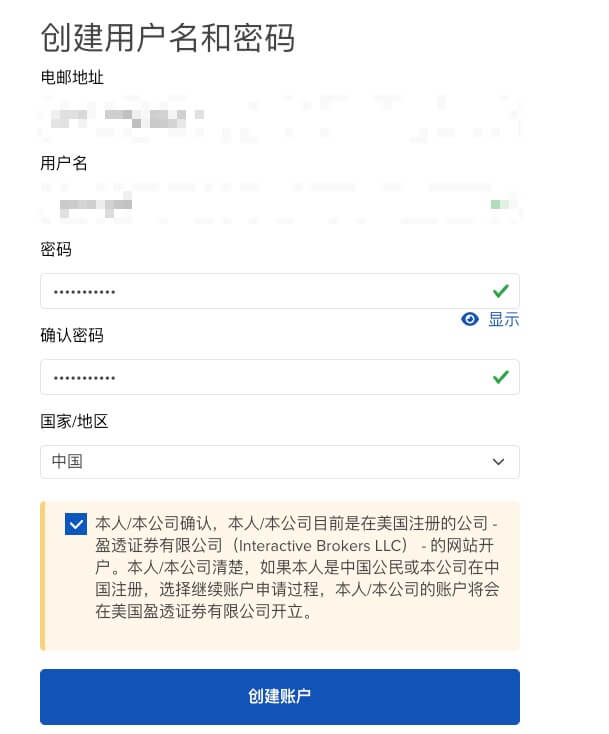
- Ensure your address is accurate and matches your ID card or passport.
- Tax ID: Your Tax Identification Number is simply your Chinese ID number.
- Tax Document: You can provide a record from the Chinese Individual Income Tax (IIT) app. Choose the last 3 months to keep the file size small; IBKR usually only allows uploading a single file.
- Signature: Note that the signature format is often “First Name Last Name,” which is the reverse of Chinese convention. Don’t worry about this.
- When selecting
- Once submitted, wait for review, which typically takes 1-3 business days.
- If approved, you will receive an email like the one below:
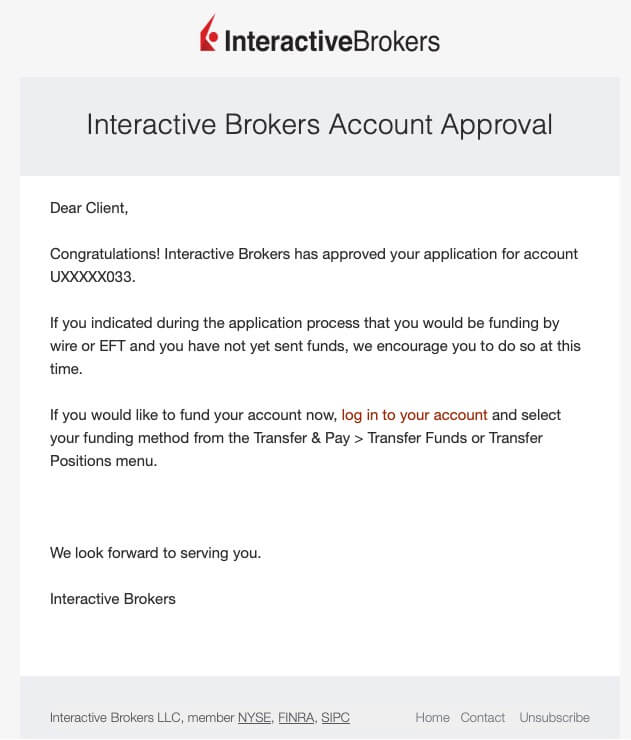
- Your account number will start with the letter “U”.
- If approved, you will receive an email like the one below:
- Log in and deposit funds. Since I have a Hong Kong bank card, I recommend depositing HKD via eDDA, which is nearly instantaneous and fee-free.
- Be careful to fill in the correct account details during the transfer.
Platforms
- PC: I recommend using the web portal directly for trading; it’s feature-rich and convenient.
- Mobile: Download “IBKR Mobile”. iOS users will need to log in to a non-mainland Apple ID to find it in the App Store.
Deposit Workflow
Here is my typical process:
- Use “Cross-border Payment” (跨境支付通) to send HKD to my Hong Kong bank card.
- Use eDDA within the IBKR app to deposit HKD from the HK card.
- If I want to buy US stocks, I simply convert the HKD to USD within the IBKR platform.
Maintaining Account Activity
- Based on community experience, keeping at least 100 HKD is recommended; I personally keep $50.
- You can also set up a recurring investment (DCA) strategy for a fund to keep the account active.
Final Thoughts
- Some users on social media (like Xiaohongshu or X) claim you need an overseas address (like Payoneer). However, I used my mainland address, and it was approved without issue. The key is providing authentic and verifiable information. Many brokerages are tightening their policies for mainland users, so I suggest opening an account sooner rather than later. Even if you don’t use it immediately, keep a small balance to maintain it. It’s better to have it and not need it than to need it and not have it.
- During registration, I recall receiving a rejection email first, but I can’t find it now—maybe I misread it, or they retracted it. Shortly after, I received the approval email. If you get a rejection, wait a bit and see.