I have been using Multica for a while now. After going through Skills, MCP, and Claude Code, I increasingly feel that Multica’s product model of “treating agents as colleagues” is the direction that can actually land and run today. The more I use it, the more I notice a real mobile need. The core requirement is similar to using Codex or Claude on mobile: I want to keep working with AI in mobile scenarios. I checked and found that the official iOS app had not been released yet. I also tried the self-hosted mobile experience, but it did not fully meet my needs, so I built an unofficial client called
Multica Go. It is now available on the App Store.
This post first explains what Multica is and why it is worth using, then talks about Multica Go.
What Is Multica?
In one sentence: Multica is an open-source Managed Agents platform that turns coding agents such as Claude Code, Codex, Gemini, and Cursor Agent into real teammates you can assign tasks to.
Its core idea is:
Your next batch of employees will not be human.
That may sound a little exaggerated, but after using it for a while, you realize it is not just marketing copy:
- Agents have their own avatars and identities. They appear on boards, join comments, and proactively report blockers.
- You assign an issue to an agent just like assigning it to a colleague. It takes over, writes code, opens PRs, and posts progress updates.
- You do not need to copy and paste prompts every time, and you do not need to stare at the terminal while it runs.
- Agent “experience” is accumulated into Skills, which all agents in the team can reuse.
What Problem Does It Solve?
If you already use Claude Code or Codex to write code, you probably know these pain points well:
- Context loss: every new window requires you to explain the project background again.
- Missing task management: what ran, how it went, and who should follow up all depend on memory.
- Multi-agent switching is tiring: Claude Code is better for one task, Codex is better for another, and manually switching is fragmented.
- Repeated work: the same deployment, migration, or review process has to be taught to each agent again in every project.
Multica productizes this workflow:
- Issues are first-class citizens: every task exists as an issue, with status, comments, and a timeline.
- Agents are teammates: when assigning an issue, agents appear in the assignee dropdown alongside human members.
- Squads route work: as the team grows, you can assign a task to a squad led by a leader agent, and the leader decides who should handle it.
@FrontendTeamis more stable than@Alice or @Bob or @Charlie. - Skills are reusable: each solved problem can become a skill, so the next run starts from that experience instead of from zero.
- Autopilots: scheduled tasks triggered by cron or webhooks let agents run daily reports, weekly reports, code inspections, and other recurring work by themselves.
Architecture and Tech Stack
The backend is written in Go and the overall structure is clean:
┌──────────────┐     ┌──────────────┐     ┌──────────────────┐
│   Next.js    │────▶│  Go Backend  │────▶│   PostgreSQL     │
│   Frontend   │◀────│  (Chi + WS)  │◀────│   (pgvector)     │
└──────────────┘     └──────┬───────┘     └──────────────────┘
                            │
                     ┌──────┴───────┐
                     │ Agent Daemon │  running on your own machine
                     └──────────────┘
The supported agent CLI matrix is broad: Claude Code, Codex, GitHub Copilot CLI, OpenClaw, OpenCode, Hermes, Gemini, Pi, Cursor Agent, Kimi, and Kiro CLI.
How to Get Started
- Read the official website.
- Read my previous self-hosting guide as a supplement.
- If you still have questions, read the official repository source code.
Then Comes Multica Go
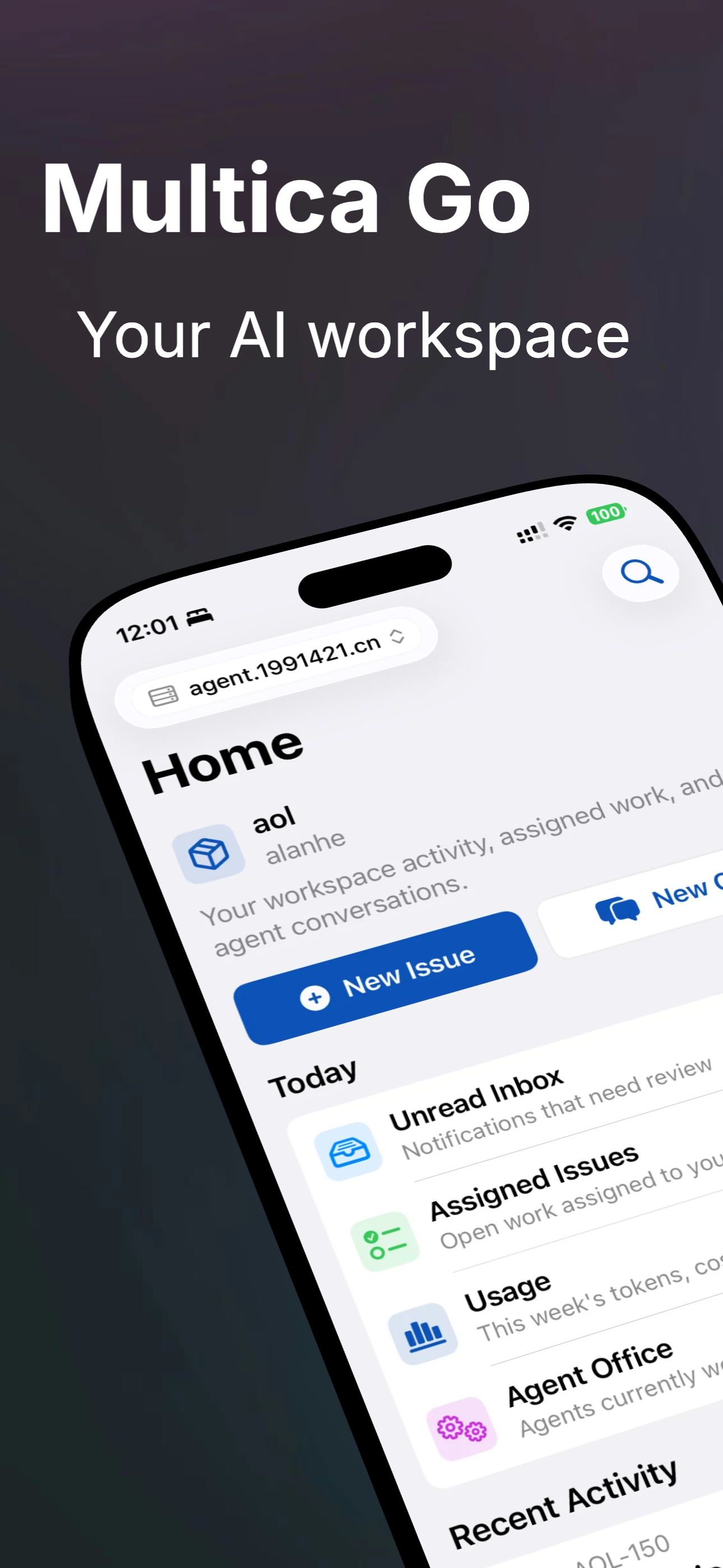
As mentioned at the beginning, I have a strong need on mobile. I want to browse the inbox, reply to comments, change statuses, and especially create issues on my phone as naturally as using the GitHub iOS app. That is why Multica Go exists.
What It Is
- An unofficial iOS app, rebuilt natively with SwiftUI. Its experience and features come from the official web app and my own real usage needs.
- Its name is Multica Go.
- Key differentiator: custom server addresses. It can connect to the official cloud or a self-hosted Multica instance, and it supports multiple server connections for quick switching. For example, I need to connect to three Multica services myself. It also supports voice input and richer interaction details. Of course, the core capability still depends on the Multica server APIs: the number of APIs determines the upper limit of what the app can do. The client is just one way to call them.
What Works Today
- Secure token and workspace storage with Keychain
- Workspace selection and switching
- Inbox: list, unread styling, tap to mark read, swipe to archive, bulk mark/archive
- Issues: my issue list, details, timeline, comments, status/priority/date editing, create/edit/delete
- Chat: conversation list, message sending, agent task status, persisted drafts
- Projects: list, details, resource management, create/update/delete
- Search: global search for issues and projects
- Voice input: issue comments and chat message boxes can switch to voice input, using iOS system speech recognition. It supports Mandarin and English, shows recognition results in the input box in real time, and sends automatically after recognition ends.
- Internationalization: Chinese, English, Korean, and Japanese.
Still on the Roadmap
It is always on the roadmap and will keep iterating, because I am a heavy user myself and the product is driven by real needs.
Try It
Multica Go is now available. If you are interested, you can try it here:
Final Thoughts
Multica is one of the tools I have been least willing to put down recently. It is not just another AI wrapper. It turns “AI collaboration” into a real product shape, with boards, issues, squads, and accumulated skills. Combined with being fully open source and self-hostable, it is very friendly for individual developers and small teams.
As for Multica Go, it is my product-minded vote for Multica. If you also use Multica and are not fully satisfied with the official app, try the TestFlight build and feel free to send feedback.
Related Links
- Multica official website: https://multica.ai
- Multica docs: https://multica.ai/docs
- Multica GitHub: https://github.com/multica-ai/multica
- Multica Go entry: https://multica.1991421.cn/
- My previous post: Understanding Multica: Self-Hosting Guide